Troubleshooting: Figma
What to do when Fusion for Figma or the Fusion card widget doesn't do what you expect.
Most problems with Fusion in Figma come from Fusion's library not being in the file, an older version of the plugin or widget, or cards moved on a busy board. Find what you see below. Each entry says why it happens and what to do.
Nothing appears on the canvas, or placing takes minutes
Why: older versions of the plugin brought Fusion's library into the file one piece at a time, which could take several minutes.
- Close the plugin and open it again, so Figma loads the latest version.
- Choose Insert into this file again. It should take a few seconds.
"in get_mainComponent: Cannot call with documentAccess: dynamic-page"
Why: an older version of the plugin stopped with this message after drawing, most often on a Journey Board. It is fixed.
- Close the plugin and reload the file.
- Open the plugin and place the tool again.
"Turn on Fusion's library"
Why: Fusion draws with the components of its library, Fusion 4.0, and this file can't reach it yet.
- In Figma's left sidebar, open Assets and choose Libraries.
- Find Fusion 4.0 and turn it on.
- Back in the plugin, choose Try again.
Outside Thales, or can't find it? Choose Add it to this file. Fusion puts its parts on one extra page, 🧰 Fusion Tools, once.
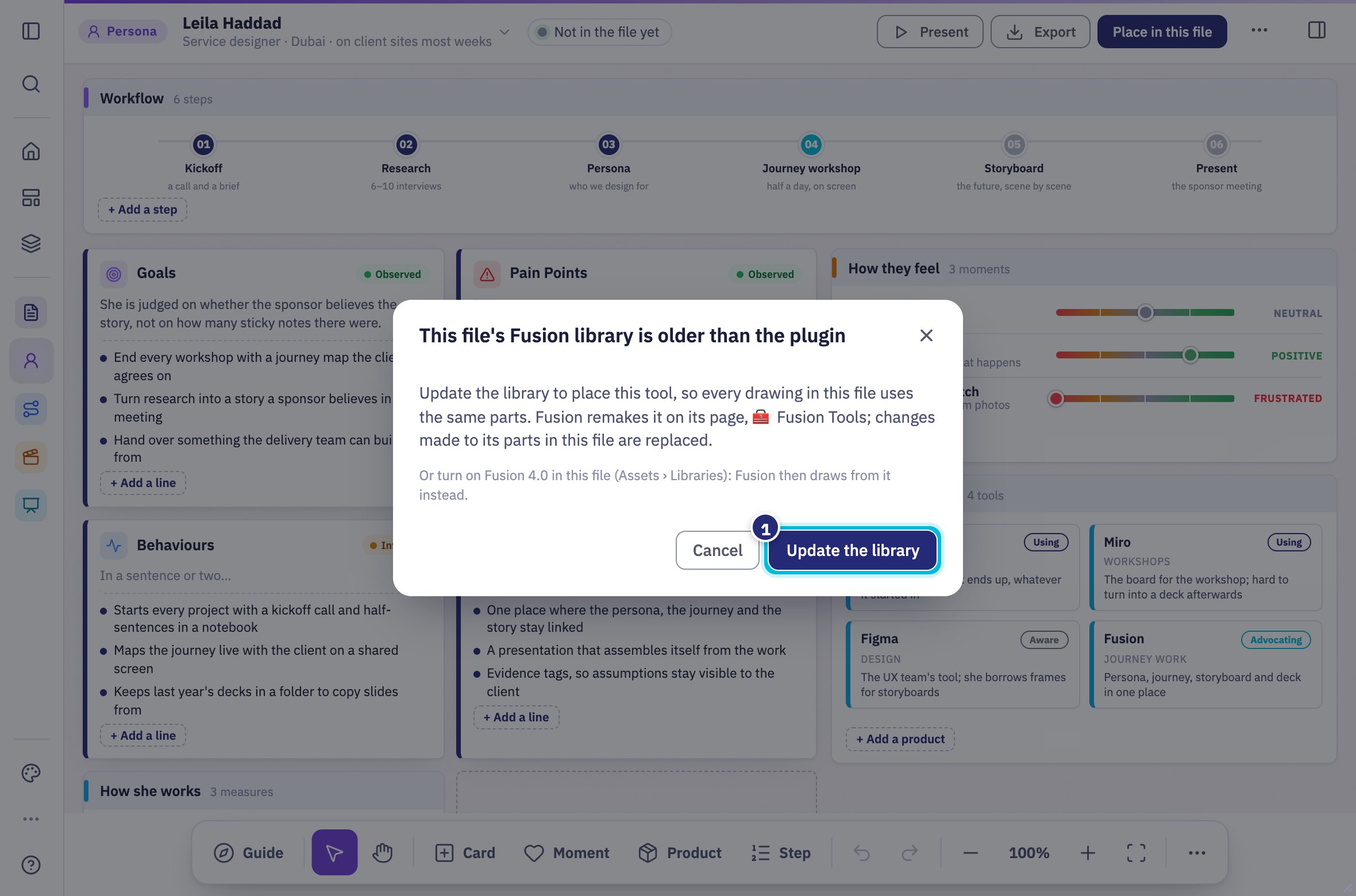
"This file's Fusion library is older than the plugin"
Why: the file has a copy of Fusion's library from an earlier Add it to this file, made by an older version of the plugin. Fusion doesn't draw from it, so a file never mixes old parts with new ones.
- Choose Update the library. Fusion remakes the library on its page, 🧰 Fusion Tools, then places your tool. Changes made to its parts in this file are replaced.
- Or turn on Fusion 4.0 in this file: Fusion then draws from it instead of the copy.
"IBM Plex Sans couldn't load here"
Why: Fusion writes in IBM Plex Sans. Where a computer or file can't load it, Fusion writes in Inter instead, so your tool is still placed, and says so once.
- Install or enable IBM Plex Sans (it's a free Google font).
- Choose Update on the canvas to redraw in IBM Plex Sans.
"Fusion couldn't add its library to this file"
Why: the library needs one extra page. On Figma's free Starter plan a file can have only three pages, and yours may already have them.
- Turn on Fusion 4.0 in this file instead (see above), and choose Try again.
- Or delete or merge a page you don't need, then choose Add it to this file again.
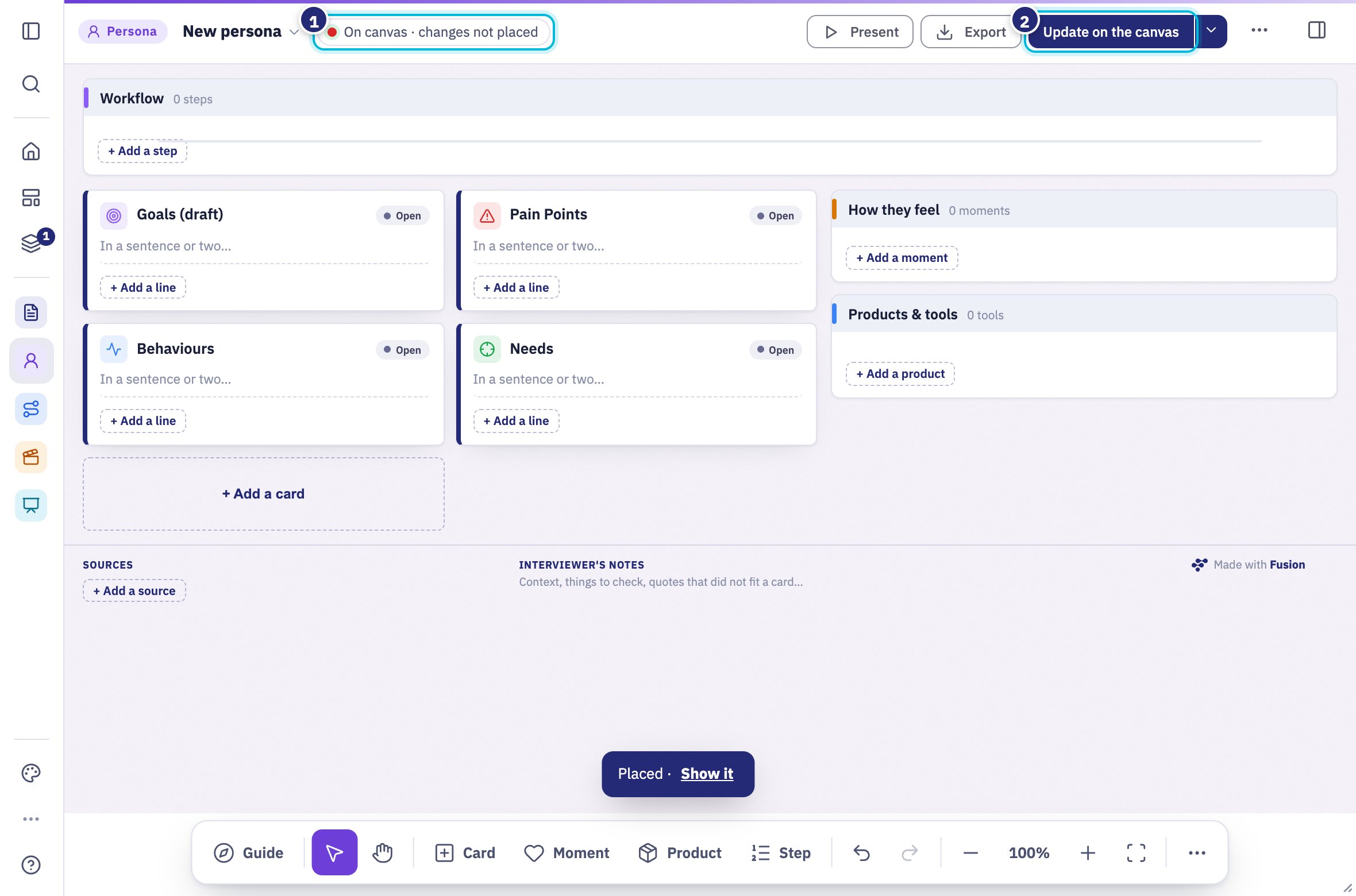
The canvas doesn't show my latest changes
Why: the window saves your changes in the file at once, but redraws the canvas only when you ask. The status in the bar says On canvas · changes not placed.
- Choose Update on the canvas.
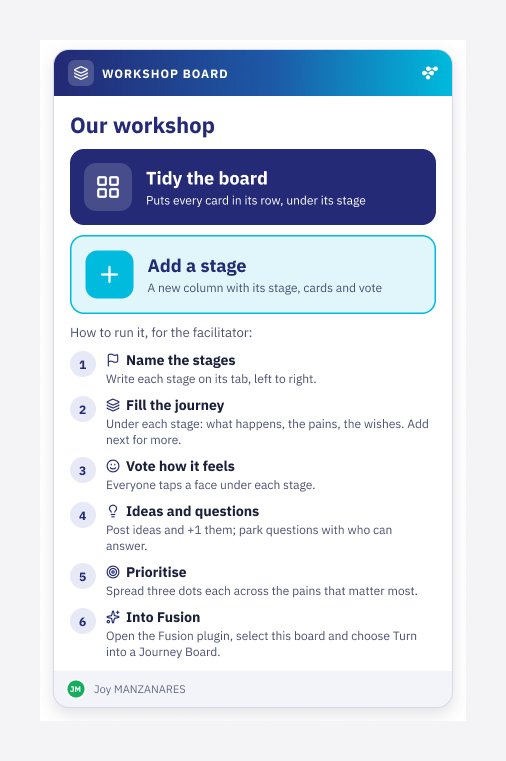
The workshop board's cards overlap, or a card spills out of its cell
Why: cards moved by hand stay where you drop them, and a card grows while someone types in it. The board doesn't rearrange itself while people are working.
- On the guide card, top left of the board, choose Tidy the board. Every card goes into its row, under the stage it stands nearest, and the grid is redrawn to fit.
If you see This card isn't on a workshop board, the card is outside the board's section. Drag it onto the board, then tidy.
How it feels, Idea or Priority dots cards are blank
Why: an older version of the widget drew these three cards empty. It is fixed.
- Reload the FigJam file, so the widget updates.
- If a card is still blank, drop a new Fusion card and choose its kind again.
A workshop board's cards stay blank, or "An error occurred while running this widget"
Why: an older version of the widget kept running after Workshop board, waiting for its own cards to be drawn. While it ran, the new cards stayed blank and any other card failed. It is fixed.
- Reload the FigJam file, so the widget updates.
- Delete the blank board's section and choose Workshop board again on a new Fusion card.
Text I typed on a card disappears after the next click
Why: in an older version of the widget, an edit could be dropped when you clicked straight into the next field or button. The card showed the text, but it wasn't saved, and Fusion's plugin didn't read it. It is fixed.
- Reload the FigJam file, so the widget updates.
- Type the text again. It is saved as soon as you leave the field.
Turn into a Journey Board isn't in the bar
Why: the button shows only when no tool is open in the window and a workshop board is selected.
- Go to Home in the plugin.
- Select the board made by Workshop board, or any card on it.
Get changes from the board misses some Fusion cards
Why: the plugin reads only the cards inside the journey's section on the board.
- Drag the cards into the journey's section, under the stage they belong to.
- Choose Get changes from the board again.