The Fusion skill in Claude
Turn your research into a Fusion project (a brief and anonymous personas) in claude.ai, then take it to PowerPoint, HTML or Figma.
The Fusion skill teaches Claude to turn research into a Fusion project. You give it interview notes, workshop notes or survey data; Claude reads them, asks about the project's scope, shows you what it found and asks what you want made. Nothing is made until you say. It then writes a brief and personas, checks them with Fusion's own program, and makes the outputs you ask for: a PowerPoint in Fusion's look, HTML pages, a Figma file, and the project file that keeps it all. Nothing is invented: every finding says where it came from and how solid it is.
Install the skill in claude.ai
You need the skill's file, fusion.zip, from your Fusion contact.
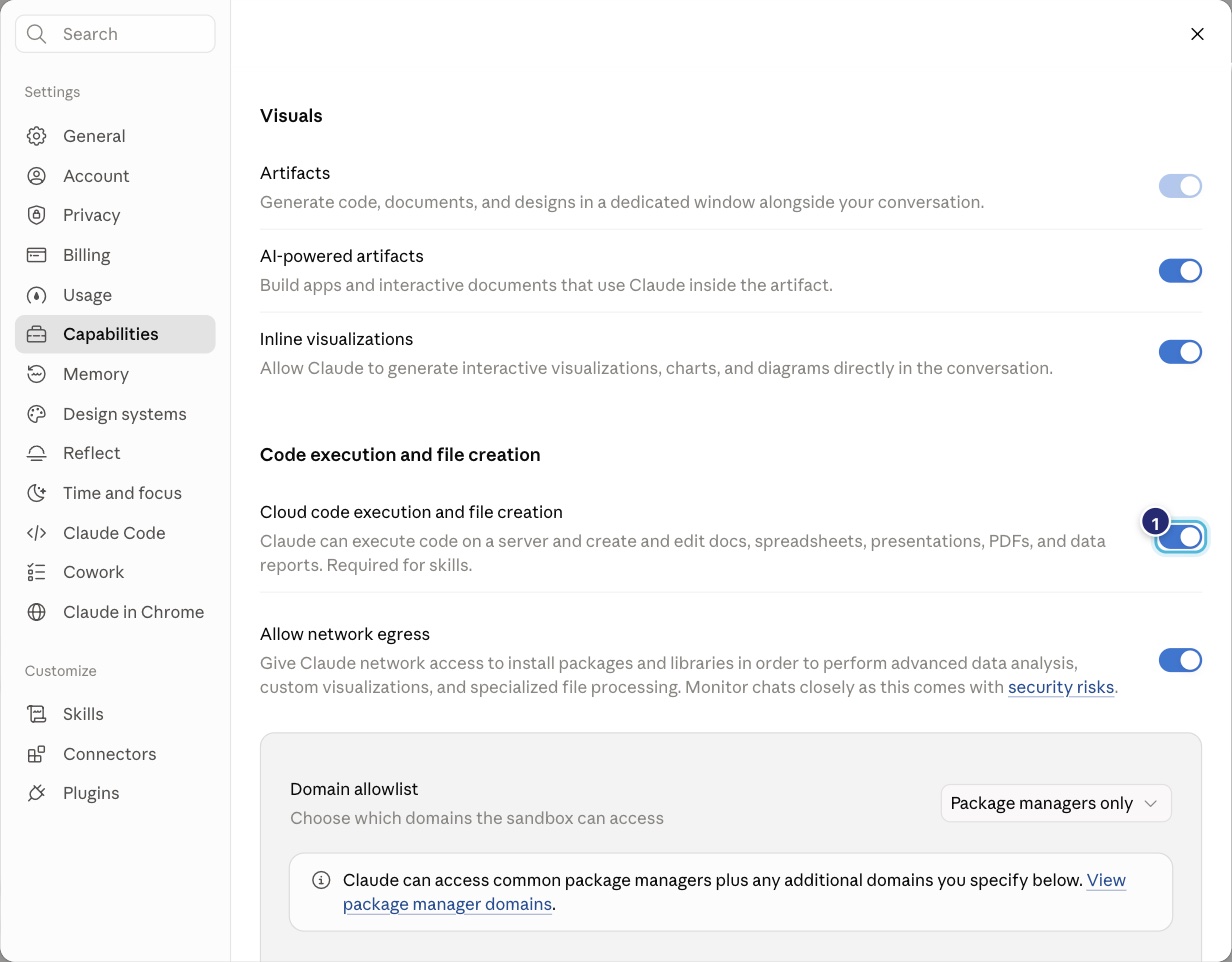
- In claude.ai, open Settings › Capabilities.
- Make sure Cloud code execution and file creation is on. The skill runs a small program, and it can't without this.
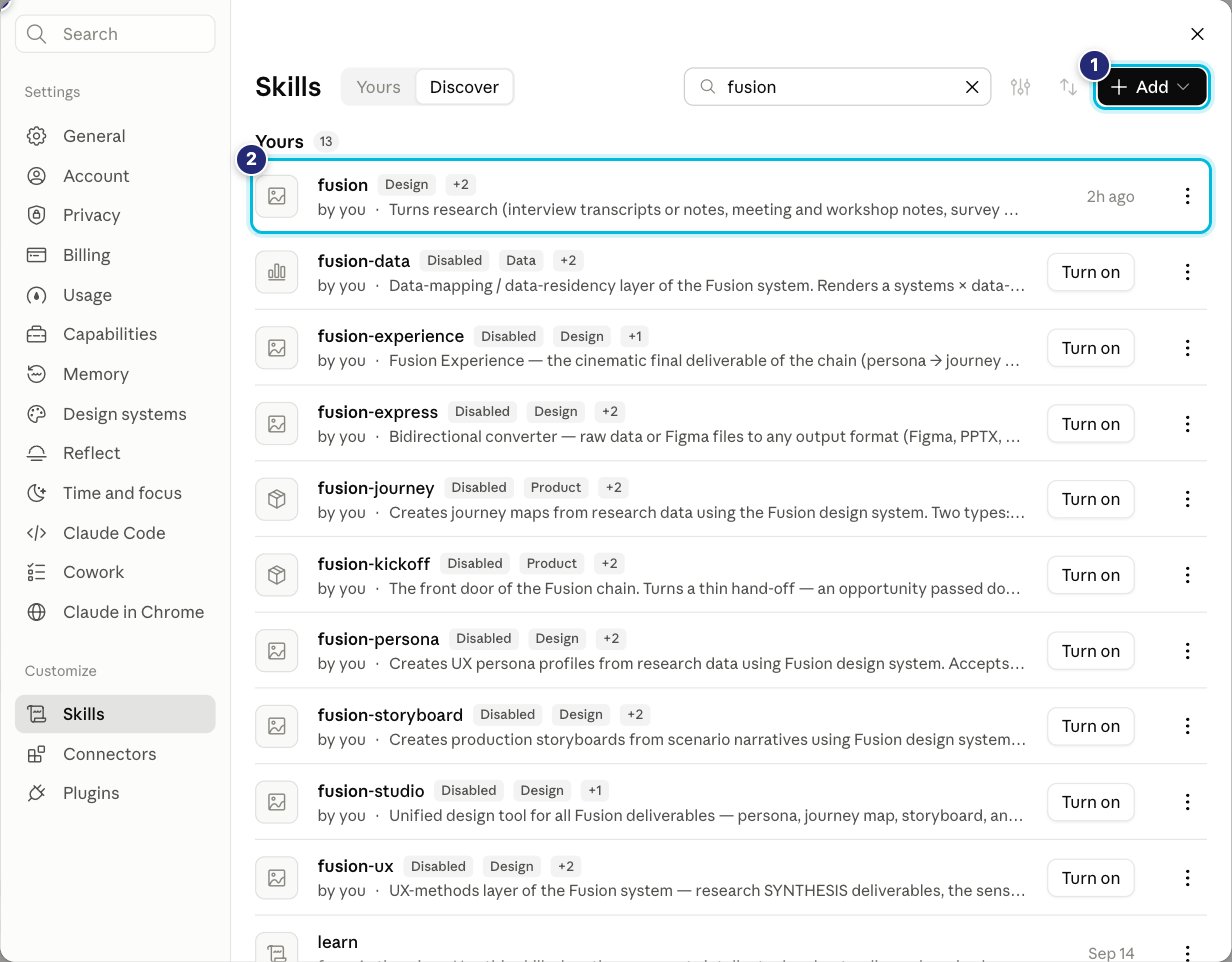
- Open Customize › Skills, choose Add and upload
fusion.zip. - If the older Fusion skills are installed (fusion-kickoff, fusion-persona and the rest), turn them off. Otherwise they may answer instead of the new one.
Give it your research
- Start a new chat.
- Attach your research: interview notes, a transcript, meeting or workshop notes, survey or operations data. Several files are fine.
- Say what you want, for example: "Make a project brief and a persona from these interviews with Fusion."
Claude writes in the language you use with it. If your research is in another language, the deliverables follow your chat, and quotes keep their original words in the file's notes.
Scope first
Before it writes any persona, Claude asks about (or takes from your research) what the project covers, what it doesn't, and its constraints. The personas then answer the brief's goals rather than redefining the project: a finding outside the scope is set aside and listed for you, not written into a persona. Each line of a persona can say which of the brief's goals it answers (G1, G2…).
Check the receipt, then choose
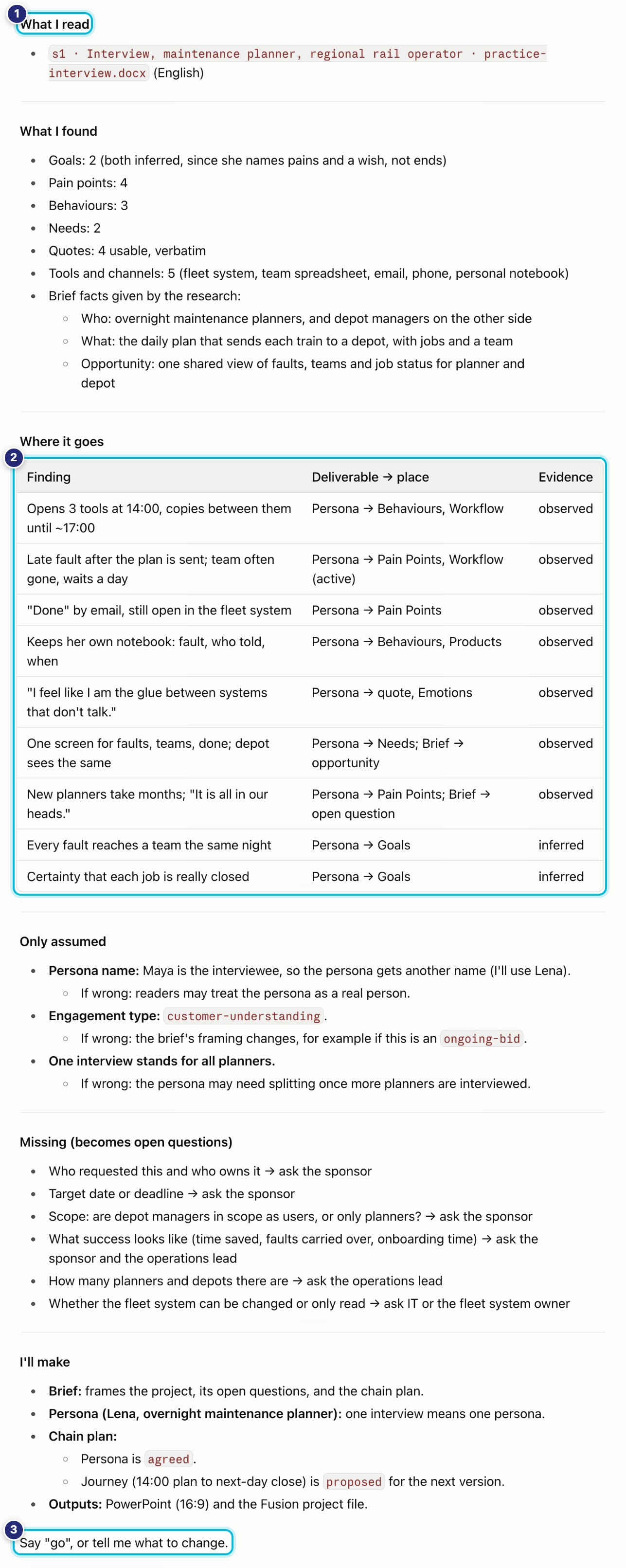
Before making anything, Claude shows a receipt:
- What I read: each source with an id (
s1,s2…), its kind and where it came from. - How I grouped the interviews: which interviews make each persona, and why.
- What I found: how many goals, pains, behaviours, needs and quotes, and the brief's facts.
- Where it goes: a short table of findings, where each one goes, and how solid it is (observed, inferred or assumed).
- Out of scope: findings set aside because the brief puts them out of scope.
- Only assumed: what Claude would have to assume, and what changes if that's wrong.
- Missing: what the research doesn't say. These become the brief's open questions, with who could answer.
It ends by asking what to do with your research:
- Keep it: Claude writes the project file only (the brief, and what it found with its sources). Ask for any output later, in this chat or a new one with the file.
- Make the personas now, and the outputs you want.
- Read the receipt. Correct anything that's wrong, or answer what's missing (a name, a date, who the project is for).
- Say what you'd like: "Keep it", or "Make the personas" (and which outputs).
What you get: the brief and personas
- The brief: what the project is, for whom, the goals (G1, G2…), the scope and constraints, the open questions (with who to ask) and the project's plan: its steps, what each needs, and where Fusion helps.
- Personas: several interviews with people who share a role or a task make one richer persona, not several thin ones; Claude makes more than one only when people really behave differently. Each finding shows how many interviews back it ("3 of 5"). Each persona has four cards: Goals, Pain Points, Behaviours and Needs.
- Anonymous by default: a persona is an archetype, so Claude gives it a generic first name and makes the names, companies, sites and email addresses from your research generic ("the company", "the site"). An assumption on the persona says so. Ask Claude to hide anything else it missed.
- A picture prompt: each persona has a prompt for an image AI (a photo, an editorial illustration or a flat illustration), written from the persona, with no names and no invented age. Ask for another style if you like.
Ask for the outputs
If you don't say, Claude makes the PowerPoint and the project file. You can ask for any of these:
- "Make the PowerPoint." The whole project as one presentation.
- "Make the HTML pages." A page for the brief and one for each file, good for sharing or printing.
- "Give me the project file." The
.fusion-project.jsonthat holds the whole project. Keep it: every output can be made again from it, and the Fusion plugin for Figma opens it (below). - "Put it in Figma." Two ways, both ending with Fusion drawings you can edit in the Fusion plugin:
- Claude draws it, through Figma's connector in the same chat. Give Claude the link to a Figma design file (not FigJam or Slides). Claude runs the steps one by one and shows a screenshot at the end. Pictures are left out. What Claude draws can be opened, edited and updated in the Fusion plugin (In this file).
- You place it with the Fusion plugin for Figma: in the plugin, choose Open a project file…, pick the
.fusion-project.json, then Insert the whole project. No connector needed.
Download the files from Claude's answer.
What this version doesn't do yet
- Journeys, storyboards and experiences are proposed in the brief's plan, but not made from research yet. Claude can write a storyboard or a comic strip when you ask for one.
- An insight summary of the research is planned; for now, keep the research in the project file.
If something goes wrong, see Troubleshooting: Claude.