The Fusion connector for Claude
Let Claude read your Fusion projects and build them in Figma, signed in as you.
The Fusion connector lets Claude see your Fusion web projects: their briefs and their files (journey boards, personas, storyboards and experiences). Claude can then answer questions about them, write from them, or build a project in Figma step by step. It only reads: it can't change or delete anything in Fusion. It sees what you see in Fusion, because it signs in as you.
Add the connector in Claude
You add it once. You need a Fusion account.
- In claude.ai, open Settings › Connectors and choose to add a custom connector.
- Give it a name, such as Fusion, and this address:
https://fusion.joymanzanares.com/mcp - Add it, then choose Connect. A Fusion page opens in your browser.
- If you're not signed in to Fusion, sign in with your Fusion account. The page comes back by itself.
- The page asks Let Claude use Fusion? and shows who is signed in. Check it's you; if not, choose Not you? and sign in with the right account.
- Read what it can and can't do, then choose Allow.
The page says Connected and takes you back to Claude.
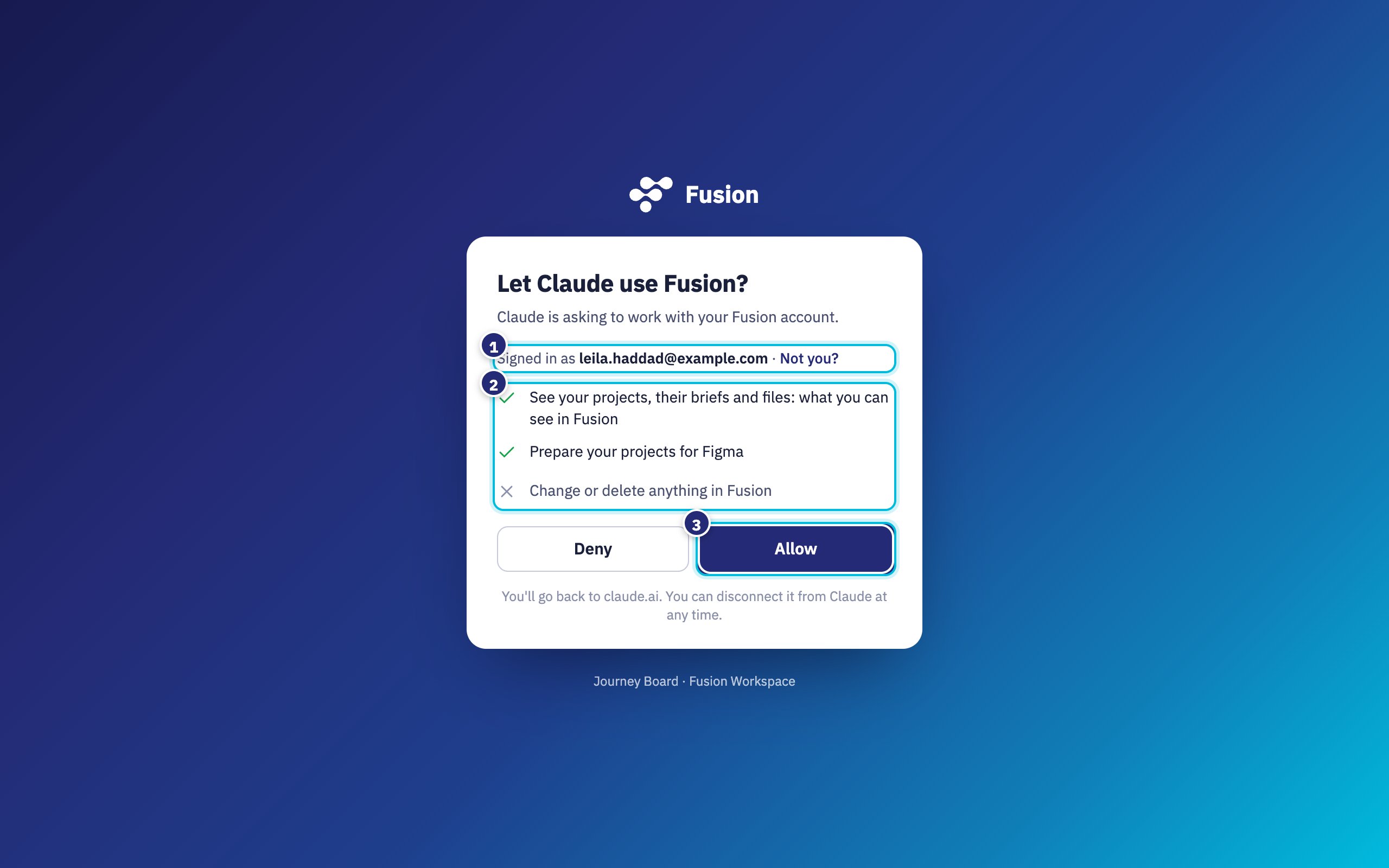
The approval page lists:
- See your projects, their briefs and files: what you can see in Fusion
- Prepare your projects for Figma
- It can't Change or delete anything in Fusion
Choose Deny if you don't want to connect. You can disconnect it from Claude at any time, in the same settings.
Ask Claude about your projects
In any chat where the Fusion connector is on:
- Ask what you have: "What Fusion projects do I have?" Claude lists them, with how many files of each tool.
- Ask about one: "Open the Riyadh metro project and summarise its brief." Claude reads the brief (goals, users, scope, success, open questions, the plan) and the list of its files.
- Ask about a file: "What are the main pain points in its journey?" Claude reads the file's content. Pictures show as [picture]; Claude can't see them.
Use the project's exact name, or pick it from the list Claude gave you.
Build a project in Figma
This needs Figma's connector in the same chat too.
- Open or make a Figma design file, and copy its link.
- Say: "Put my project Riyadh metro in Figma, in this file: [the link]".
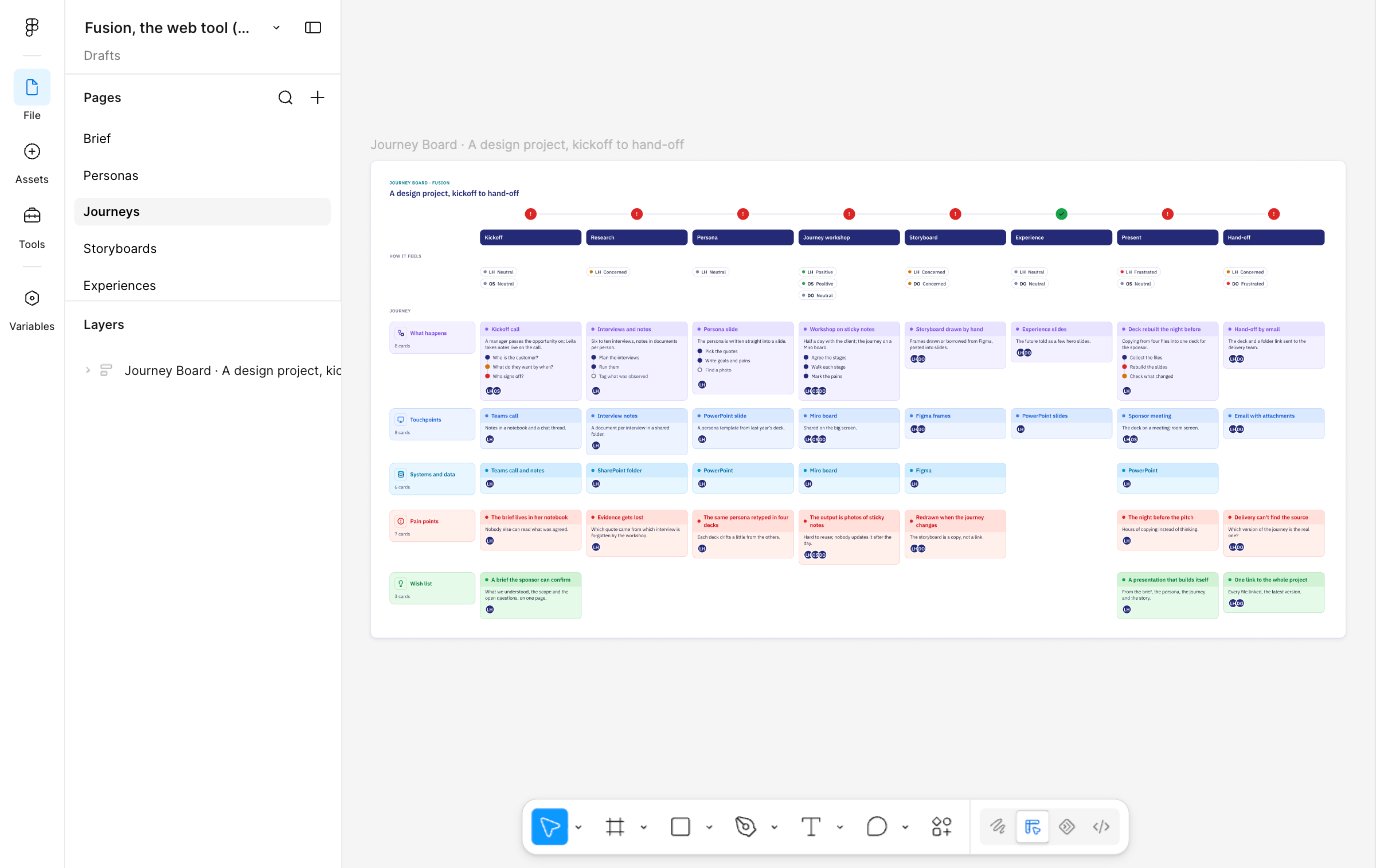
- Claude gets the plan from Fusion, then runs each step in Figma in order: first the setup (Fusion's colours, text styles and components), then the brief and a page for each file, and a cover last.
- Let it run to the end. Each step is one call to Figma, so a large project takes a few minutes.
What Claude draws can be opened in the Fusion plugin: each drawing keeps its Fusion file, so the plugin lists it under In this file (on that page) and you can edit it and choose Update on the canvas. Asking Claude again replaces the same drawings.
Pictures aren't drawn. They stay with the file, and the plugin shows them once you connect it to Fusion web.
If a step fails, ask Claude to tell you the error rather than rewrite the step, and see Troubleshooting: Claude.
Good to know
- Read only. The connector can't save to Fusion web. To bring work made in Claude into Fusion web, use the Fusion skill's project file and import it (see The Fusion skill in Claude).
- Your access. Claude sees your own projects and the ones shared with you, nothing else.
- Signing in again. If Claude says it needs you to sign in again, reconnect it in Settings › Connectors.